
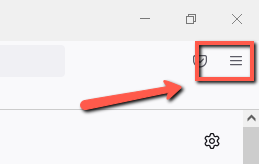
- With Mozilla Firefox open, click on the Three Lines at the top right of Mozilla Firefox
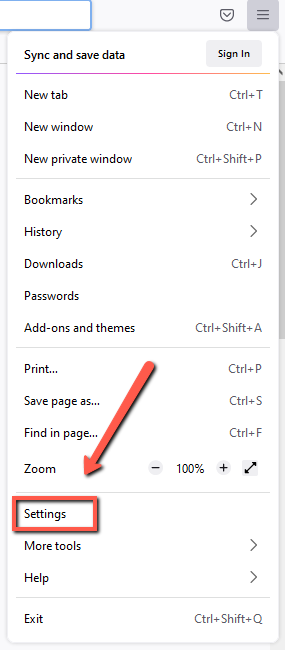
- Click on Settings from the drop-down list of options
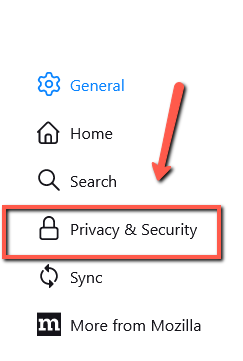
- Click on Privacy & Security on the left side of the Settings window.
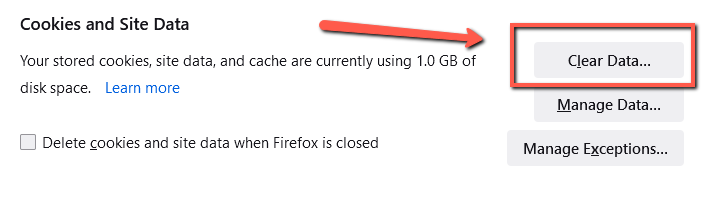
- Scroll down until you see Cookies and site data. Click Clear Data.
-
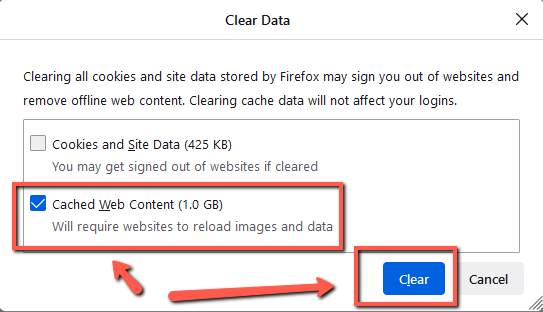
Uncheck Cookies and Site Data but leave Cached Web Content checked and click Clear.
- That's it!
Calvert County Public Schools Information Technology
Comments
Article is closed for comments.